Launch your waitlist landing page
in minutes, not weekends.
Skip the website. Skip the designer. Build a free waitlist or coming soon page that collects signups, runs a referral leaderboard, and stops spam — without writing a line of code.

LaunchList Demo
A live preview of your hosted waitlist page — fully branded, instantly shareable, and built to convert.
You're on the list!
We'll email you when we launch.
33,560 people already on the waitlist
| # | Referrals | |
|---|---|---|
| 1 | sar***@gmail.com | 142 |
| 2 | mik***@outlook.com | 98 |
| 3 | emm***@hey.com | 76 |

Trusted by 3,000+ founders launching products










Launch with an audience.
Not to silence.
A waitlist landing page is the cheapest, fastest growth channel you have before launch. LaunchList gives you a free hosted one that's ready to share in five minutes — with the referral mechanics, signup count, and credibility signals that turn early curiosity into a launch-day audience.
No-code Builder
Ship a launch page
you'd actually share.
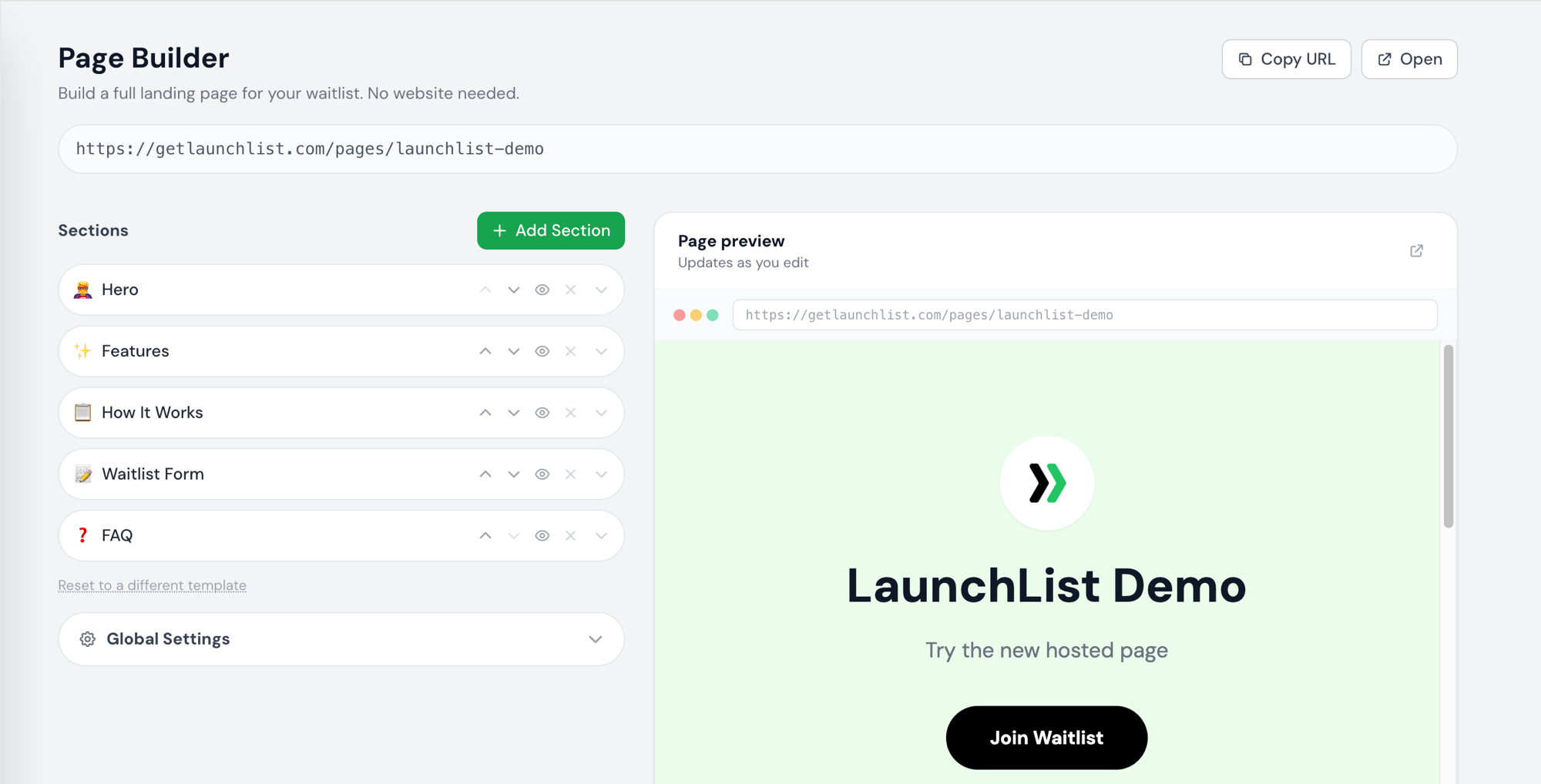
The honest test of a waitlist landing page: would you proudly link to it from your own bio? The Page Builder is built around that test — typography, spacing, mobile rhythm and conversion structure already dialed in, so you ship something you mean to share, not something you have to apologize for.
- Look polished from day one. Every section is pre-designed, mobile-tested, and brand-themed. No Figma, no CSS, no compromise.
- See changes the moment you make them. Live preview means no save-and-refresh dance — your page updates as you type.
- Move blocks like a deck of cards. Reorder, hide, or remove any section without touching code or losing your content.
- Match your brand in two clicks. Background, button color, logo, and headline copy — done in minutes, on any plan.
Coming Soon Page Templates
Go from idea to live waitlist
in under ten minutes.
Three coming soon page templates, pre-written and pre-laid-out for the launches we see most. Pick the one that fits, edit the lines that matter, and you'll spend the rest of the day promoting your page — not building it.
-
01
SaaS
Software & B2B tools
Opens with a benefit-led hero, builds trust through a How-It-Works narrative your buyers expect, and closes on the FAQs that land procurement objections before they happen.
-
02
Mobile App
iOS & Android launches
Leads with the product screenshot, threads notification and privacy promises through the features, and ends on the questions every App Store reviewer asks.
-
03
Consumer
DTC & physical products
Built around story before sale — a hero that names the lifestyle, three feature pillars in your tone of voice, and a soft FAQ that handles shipping, sizing, and "when can I buy?".
Grow Without Ads
Turn every signup into
your next signup.
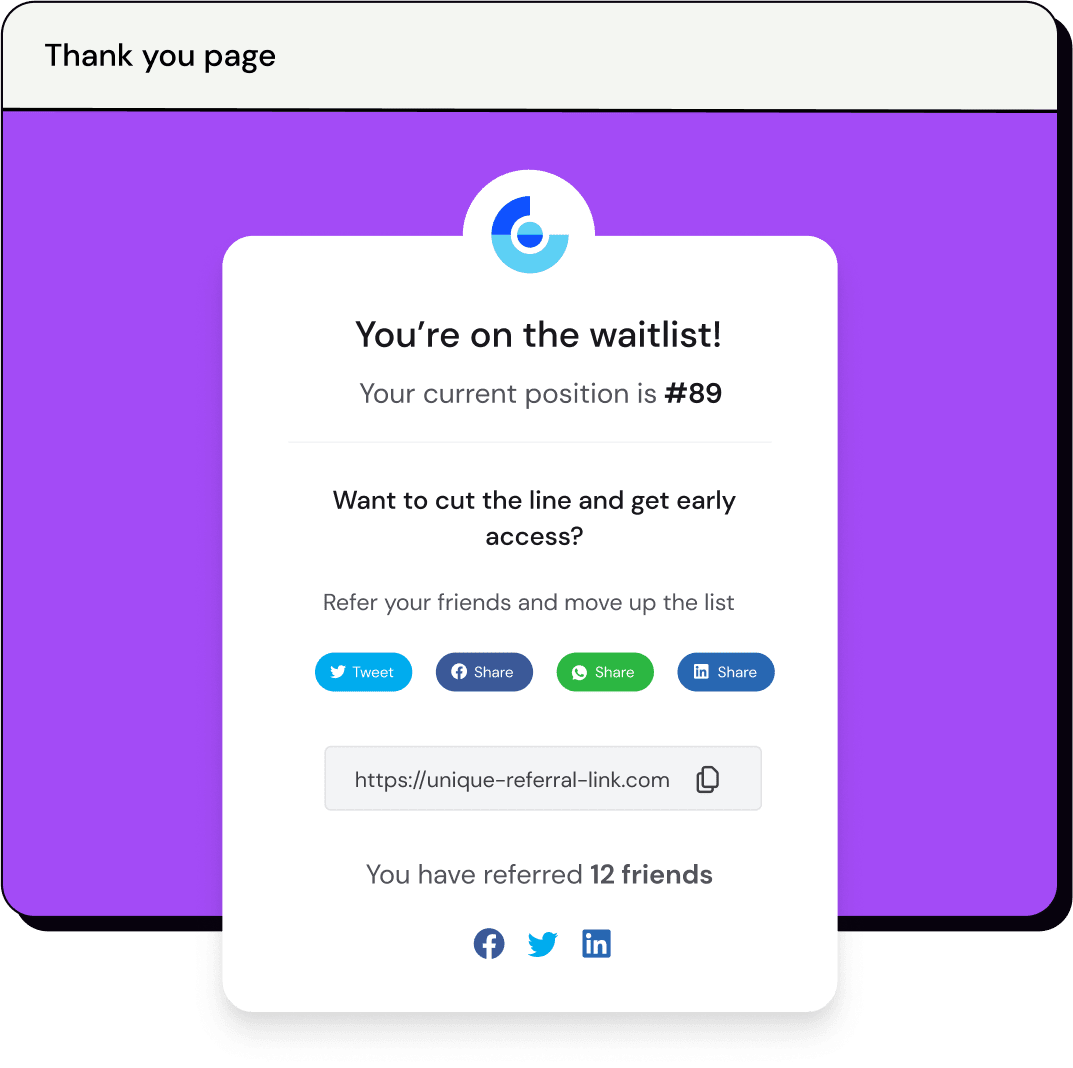
The fastest pre-launch waitlists grow from referrals, not ads. Every person who joins yours gets their own link and a spot on a public leaderboard — so the more friends they invite, the higher they climb, and the more they share. Your list grows without you spending a dollar.
- Get more signups for free. Every join brings the next one — no ad spend, no extra tooling, no setup.
- Stoke FOMO automatically. A live top-5 leaderboard right on your page makes climbing it the goal.
- Reward your believers. Let early supporters jump the queue by inviting friends — they will.
All Included
Stop stitching tools together.
A clean signup list, the analytics you'll actually open, and the integrations you already use — all included from day one. No second dashboard, no extra subscription, no plugin hunting.
Keep your list clean
Block disposable emails, bots, and bad actors before they land in your CSV. Real-time validation, active by default — so the contacts you launch to are people who actually want to hear from you.
See what is working
Track page views, signup conversion, and referral sources in one place — without bolting on Google Analytics or paying for a separate dashboard.
Send signups anywhere
Pipe new signups to Slack, Zapier, Notion, or any webhook — and from there into Mailchimp, ConvertKit, Beehiiv, or your CRM. Set it once, forget it.
New Short share links · launch.li
A share URL that fits
in a tweet.
Every waitlist now ships with a short, brandable share link on our own domain — perfect for social bios, ads, and anywhere character count matters. The long canonical URL still works and still indexes for SEO.
launch.li/p/yourname
getlaunchlist.com/pages/yourname
Free on every plan. Active the moment you create your waitlist.
No Website? No Problem.
Launch your waitlist before
you launch your website.
Use the hosted page if you're starting from zero — your waitlist landing page is live the second you sign up. Already have a site? Paste one line of code on Webflow, Framer, Carrd, Squarespace, WordPress, or any of 17+ platforms, and you're collecting signups inside ten minutes.
Get Started
From signup to live page
in three steps.
No code. No designer. No credit card.
Create your account
Sign up free in 30 seconds. You get the hosted waitlist page, the referral leaderboard, and spam protection from minute one.
Pick a template
SaaS, Mobile App, or Consumer — start with a full coming soon page already written for your launch type. Edit only what you want to change.
Share your link
Copy your shareable URL and post it on Twitter, Product Hunt, Reddit, or your email signature. Watch signups roll in in real time.
Pricing
Pay once. Keep your waitlist forever.
Free for your first 100 signups. One-time upgrades from $19 — no subscriptions, no monthly fees, no surprise charges six months in.
FAQ
Common questions.
What is a waitlist landing page?
A waitlist landing page — also called a coming soon page, pre-launch page, or early access page — is a single web page that collects email signups before your product launches. It has one goal: get people to join the list. The best ones have a clear headline, social proof, and a referral link shown on the confirmation page.
Is a coming soon page the same as a waitlist landing page?
Yes, in practice they are the same thing. Both are single-purpose pre-launch pages that capture emails. The modern version — a waitlist landing page — adds a referral mechanic and a position leaderboard so every signup helps grow the list, not just sit on it.
Do I need a website to use LaunchList?
No. Every account comes with a hosted waitlist and coming soon page at getlaunchlist.com/pages/your-name. Customize your headline, logo, and colors — then share the link. No website or hosting needed.
Is LaunchList free?
Yes. The free plan covers your first 100 submissions — including the hosted landing page, referral leaderboard, spam protection, email validation, and analytics. No credit card required.
Can I use it on my existing website?
Yes. Paste one line of code to embed the signup form anywhere. LaunchList works with Framer, Webflow, Carrd, Squarespace, WordPress, Wix, Notion, Bubble, React, HTML, and 13+ platforms.
How does the referral leaderboard work?
Every signup gets a unique referral link. When someone they invite joins, they move up the waitlist. The leaderboard shows the top referrers — visible right on your hosted page. It's built in, no setup needed.
How do you stop spam signups?
LaunchList validates every email in real time, blocks disposable/temp email services, lets you block specific domains and patterns, and filters out bots. Active by default on every plan.
Can I export my signup list?
Yes. Download your full list as a CSV anytime. Your data stays yours.
Can I customize how my waitlist page looks?
Yes. Upload a logo, pick brand colors for background and buttons, write a custom headline and subtitle, toggle the signup counter and leaderboard, add social links, and set SEO meta title and description.
Does it work on mobile?
Yes. The hosted page and embed widget are mobile-responsive. Most pre-launch traffic comes from phones (Twitter, Reddit, Product Hunt), so this matters a lot.
Where should I share my waitlist page?
The best pre-launch channels are Product Hunt Ship, Indie Hackers, Twitter/X threads, niche subreddits, founder newsletters, and Slack/Discord communities where your audience hangs out.
What happens after someone signs up?
They see a thank-you page with their waitlist position, their referral link, and their spot on the leaderboard. You also get an email notification and the data shows up in your dashboard immediately.
Can I connect it to other tools?
Yes. Send new signups to Slack, Zapier, or any webhook. From there you can connect to any email tool (Mailchimp, ConvertKit, Beehiiv, etc.) or CRM.
Can't find it? Have your own question?
Don't launch to silence.
Launch with a list.
Get your free waitlist landing page live in five minutes. 100 signups free, no credit card, lifetime access.