Weebly Waitlist Integration
Why use LaunchList with Weebly?
Weebly's default form captures emails but lacks referral mechanics, position leaderboards, and spam defense. LaunchList embeds into any Weebly page via the Embed Code element and turns a static signup into a viral pre-launch engine.
What you get:
- Viral referral program — every signup gets a unique referral link that moves them up the waitlist
- Fraud detection — disposable email blocking, MX validation, and behavioral scoring on every submission
- Native Embed Code element — no plugins, no workarounds
- CSV export — download your full list any time
- Free plan — up to 100 submissions, no credit card required
Setup takes under 3 minutes using Weebly's Embed Code element.
Step 0 - Get form key
To integrate the embed widget on the Weebly website, first, you need a LaunchList form key which you can get from the integration page.
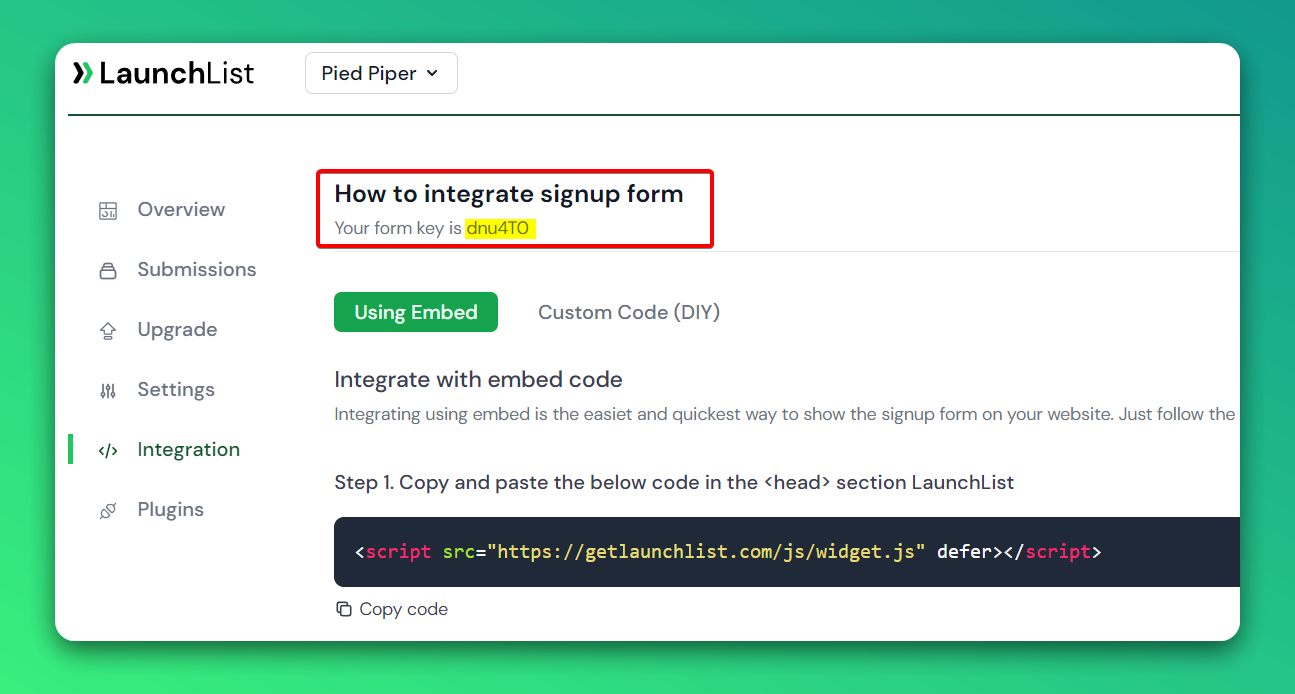
Embed Widget
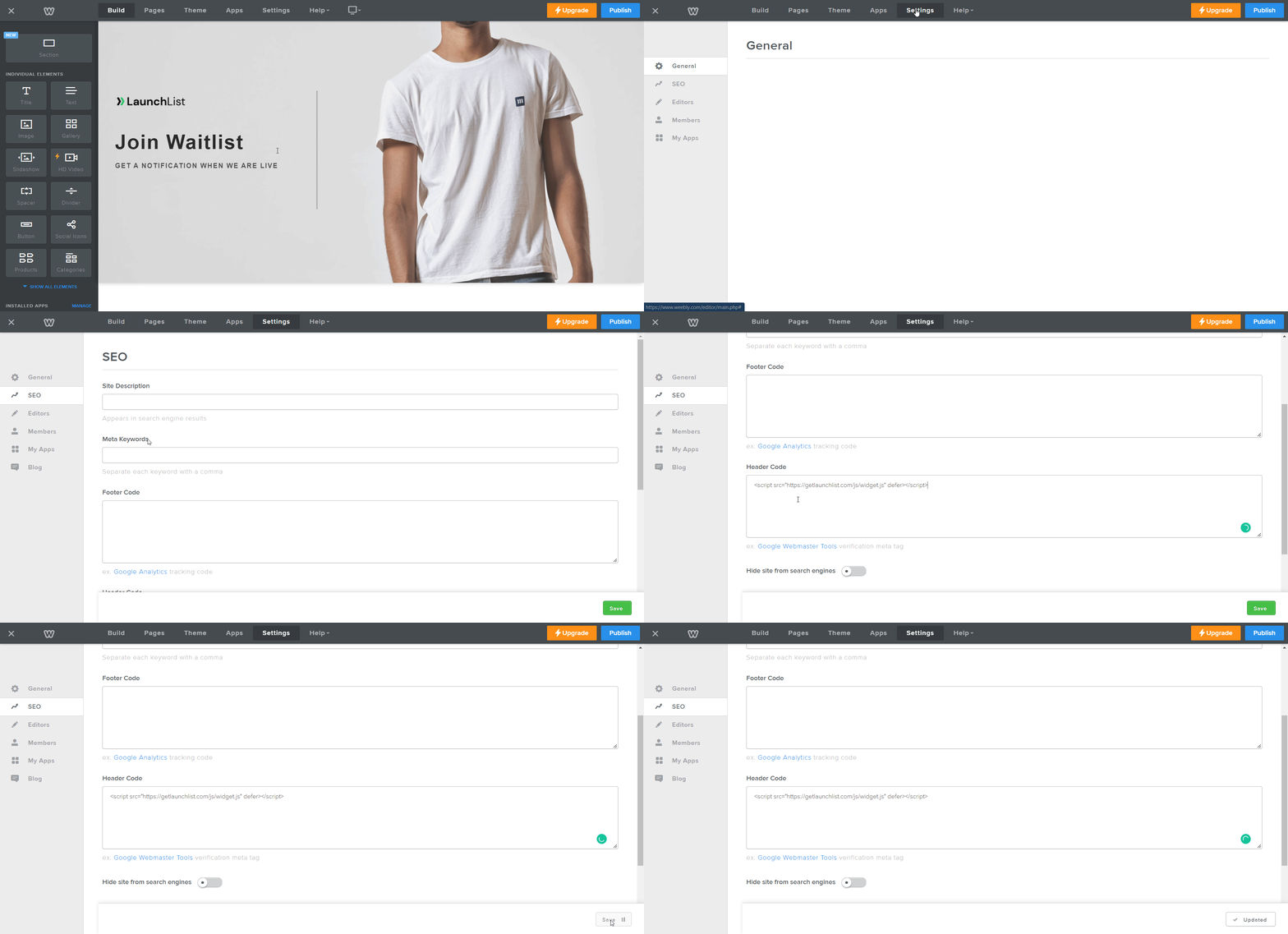
Step 1 - Add a widget script into <head> section
- Go to Settings in your site's dashboard
- Click the SEO link from the sidebar menu
- Click + Add Custom Code at the top right
- Paste the below script into the Header Code and save the settings
<script src="https://getlaunchlist.com/js/widget.js" defer></script>
Step 2 - Add the form code into Weebly Code block
- Go to the site Editor
- Select and drag Embed HTML from sidebar elements into your page
- Tap Click to set custom HTML → Edit Custom HTML
- Paste the below code into HTML Textarea
- Make sure you have replaced the FORM_KEY with your key from Step 0
<div class="launchlist-widget" data-key-id="FORM_KEY" data-height="180px"></div>
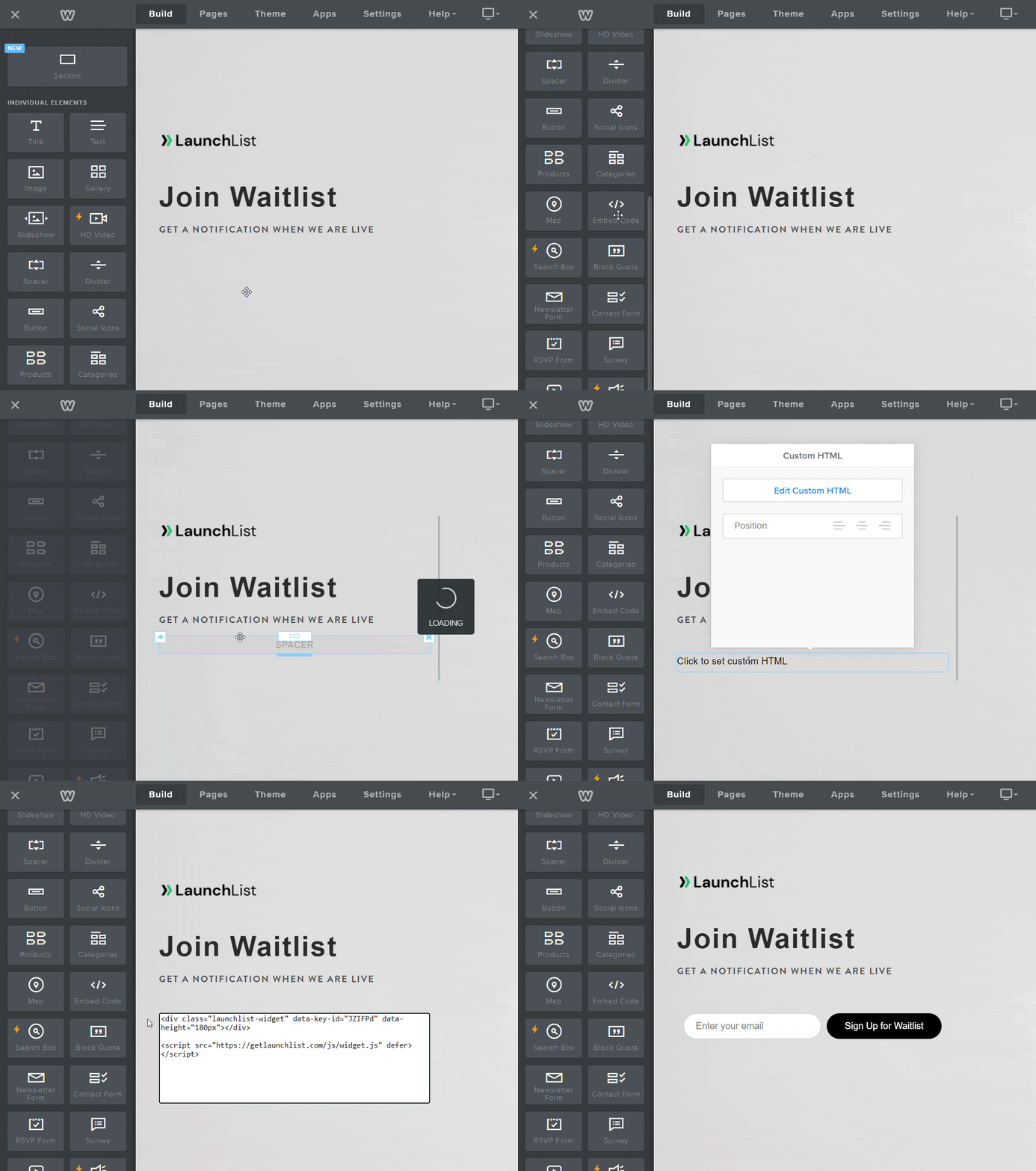
- Once published, you'll see the widget on your Wix site.