WordPress Waitlist Integration
Add a viral pre-launch waitlist to any WordPress site in under 5 minutes. You'll install one lightweight plugin to inject a script into your <head>, then drop the widget into any page via a Custom HTML block.
Step 0 - Get form key
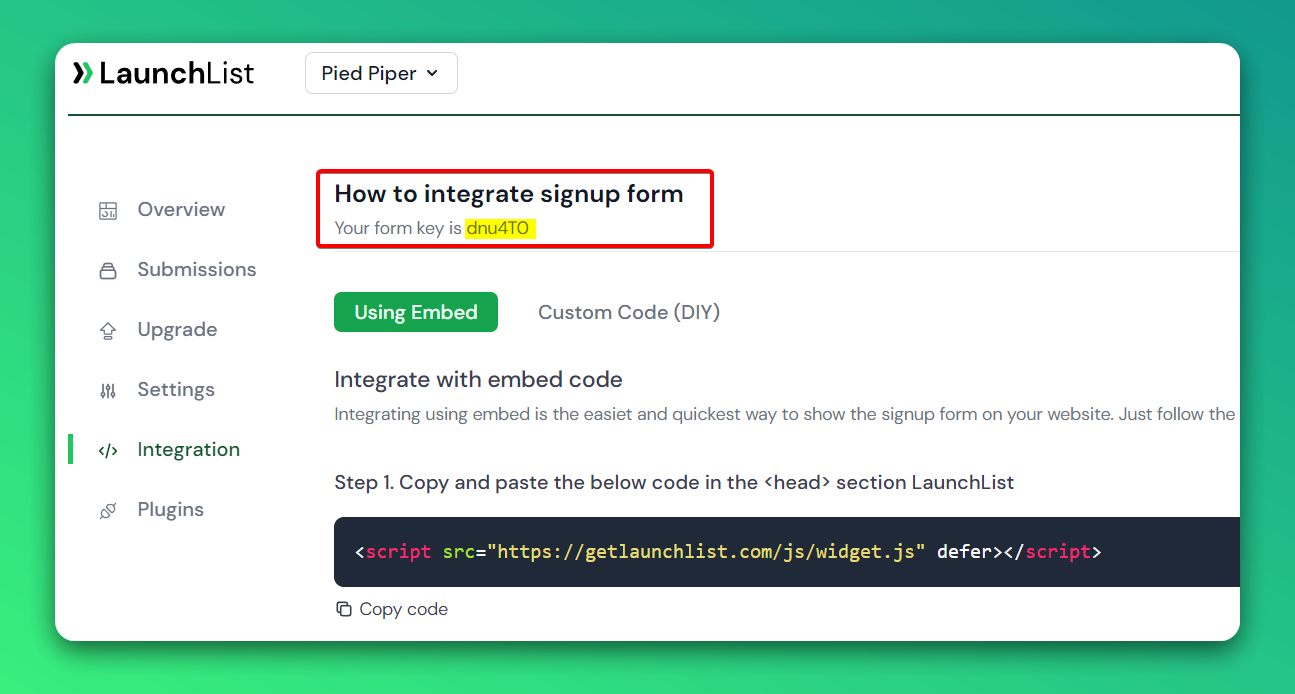
To integrate the embed widget on the WordPress website, first, you need a LaunchList form key which you can get from the integration page.
Embed Widget
Step 1 - Add a widget script into <head> section
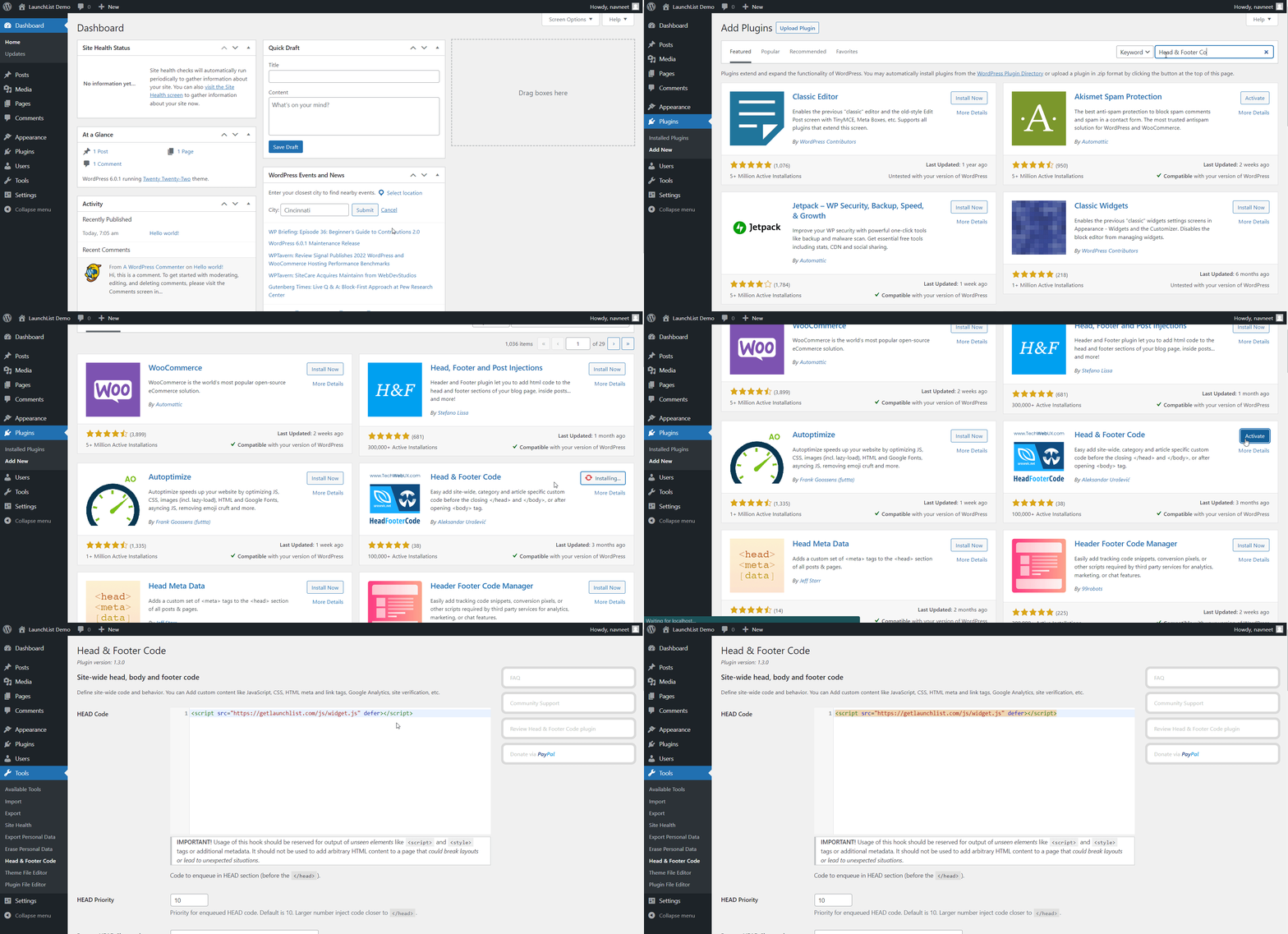
- To add the script into the
<head>section, you need to install a plugin Add CSS and JS and activate it. Alternate plugin - Insert Headers and Footers - After activating, go to the plugin settings. And add the below script to the HEAD section and save the settings.
<script src="https://getlaunchlist.com/js/widget.js" defer></script>
Step 2 - Add the form code into WordPress HTML block
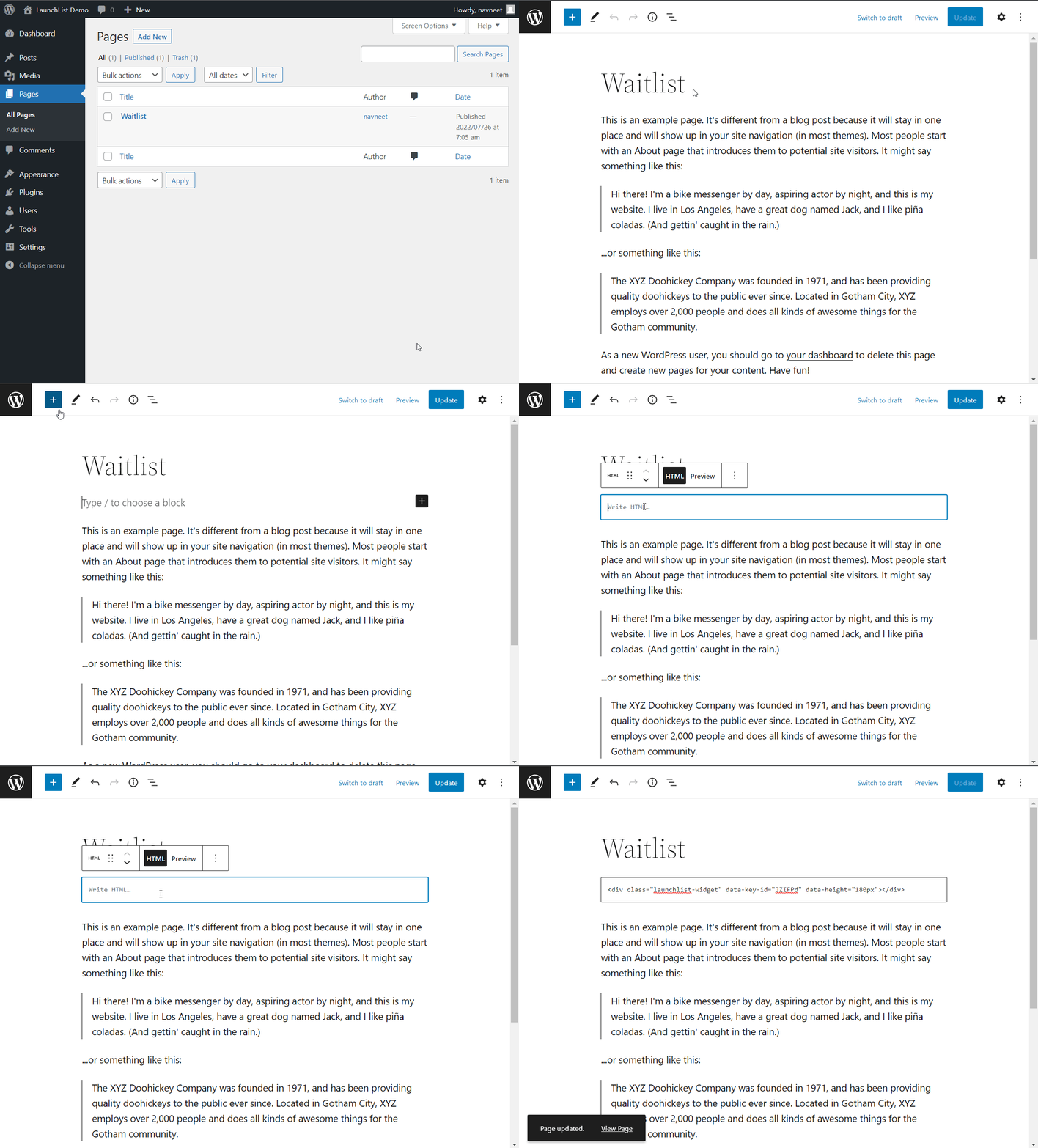
- Create a new page or go to the existing page where you want to show the waitlist form
- Click on Add Block (+) button and search for HTML to show custom HTML widget block
- Paste the below code and Update the page
- Make sure you have replaced the FORM_KEY with your key from Step 0
<div class="launchlist-widget" data-key-id="FORM_KEY" data-height="180px"></div>
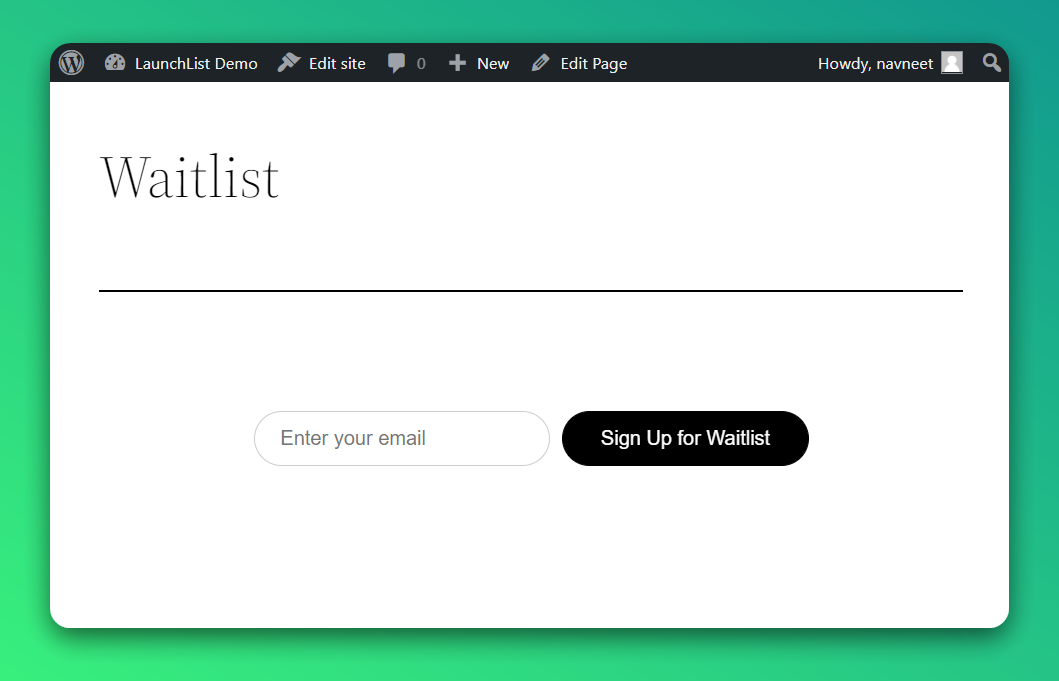
- Once updated, you'll see the widget on your WordPress page.
Why use LaunchList with WordPress?
WordPress powers over 40% of the web, but its native forms aren't built for pre-launch waitlists. LaunchList adds a viral waitlist to any WordPress page in minutes — no bloated plugins, no subscription required.
What you get:
- Viral referral program — every signup gets a unique referral link that moves them up the waitlist
- Fraud detection — disposable email blocking, MX validation, and behavioral scoring on every submission
- No plugin conflicts — embeds as a simple HTML block, works alongside any theme or page builder
- CSV export — download your full list any time
- Free plan — up to 100 submissions, no credit card required