Typedream Waitlist Integration
Why use LaunchList with Typedream?
Typedream is the Notion-style site builder loved by indie hackers — fast to ship, limited on third-party integrations. LaunchList fills the gap with a drop-in widget that brings viral referral mechanics to your Typedream site without custom code.
What you get:
- Viral referral program — every signup gets a unique referral link that moves them up the waitlist
- Fraud detection — disposable email blocking, MX validation, and behavioral scoring on every submission
- Native HTML block embed — works inside Typedream's built-in HTML component
- CSV export — download your full list any time
- Free plan — up to 100 submissions, no credit card required
Setup takes under 3 minutes. Requires a Typedream paid plan for HTML block access.
Step 0 - Get form key
To integrate the embed widget on the Typedream website, first, you need a LaunchList form key which you can get from the integration page.
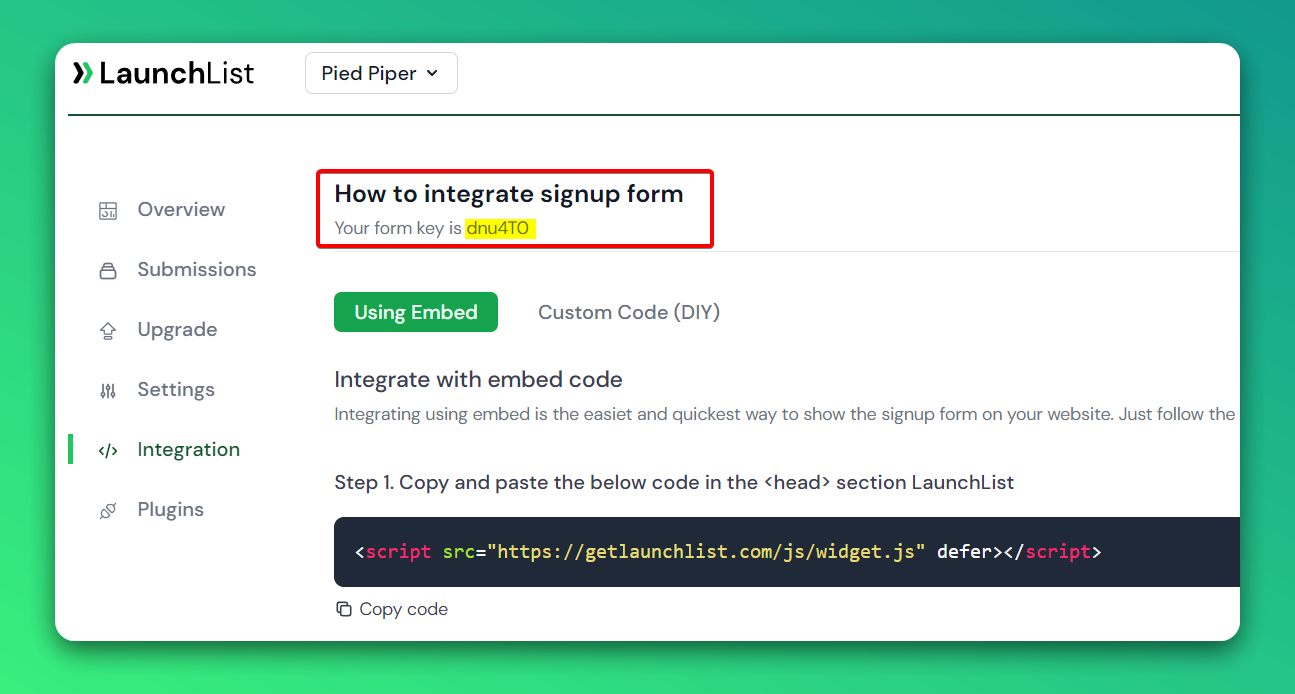
Embed Widget
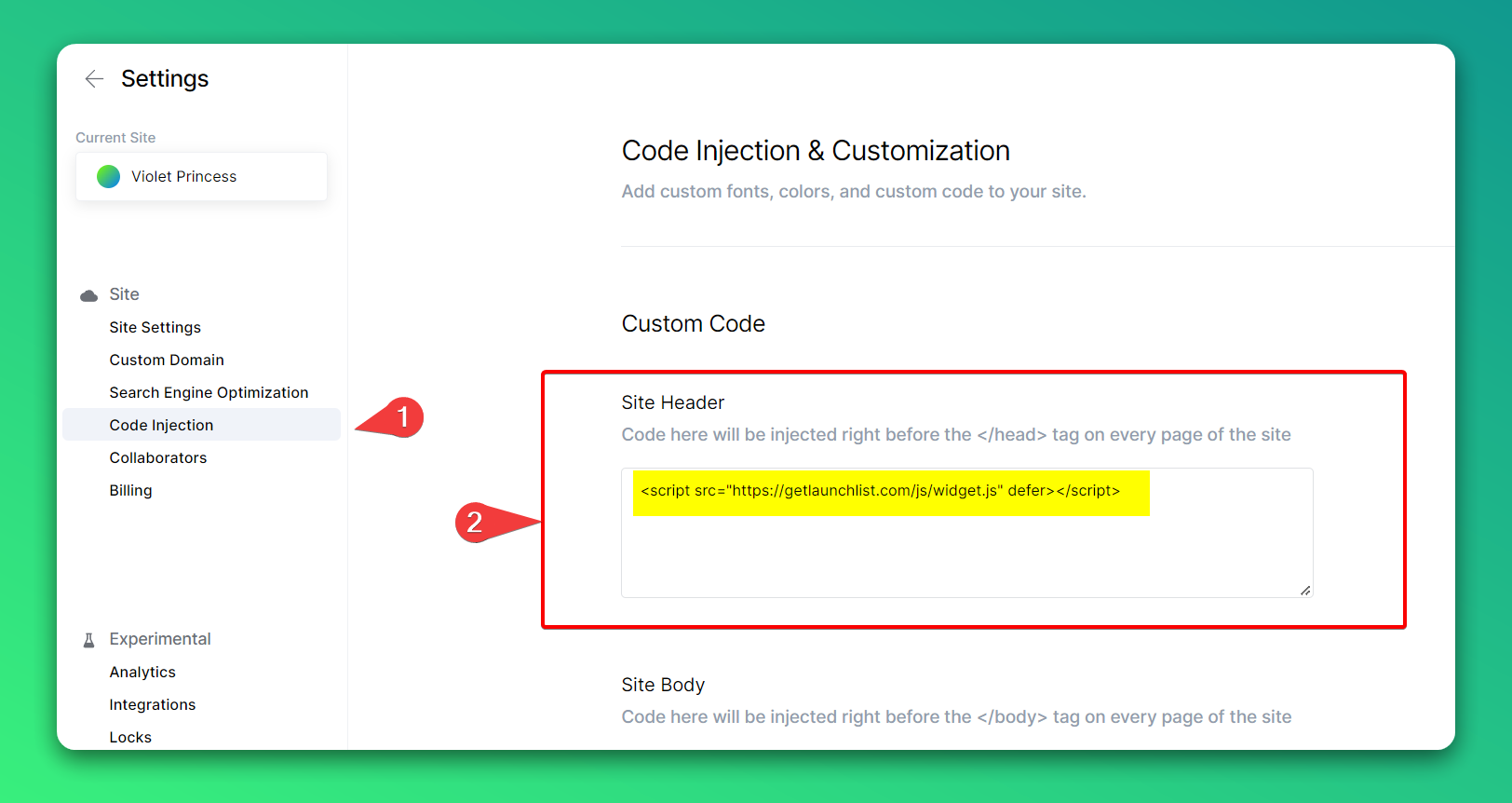
Step 1 - Add a widget script into <head> section
0. Go to your Site Settings
- On Sidebar, click on Code Injection
- Paste the below script into the Site Header section and update the settings
<script src="https://getlaunchlist.com/js/widget.js" defer></script>
Step 2 - Add the form code into the Typedream embed block
- Go to the page where you want to show the widget
- Type / to bring the block dropdown
- Search for Embed block
- When it is added on the page, click on Embed (HTML...) block
- Click on Code tab
- Paste the below code and click Insert Code
- Make sure you have replaced the FORM_KEY with your key from Step 0
<div class="launchlist-widget" data-key-id="FORM_KEY" data-height="180px"></div>
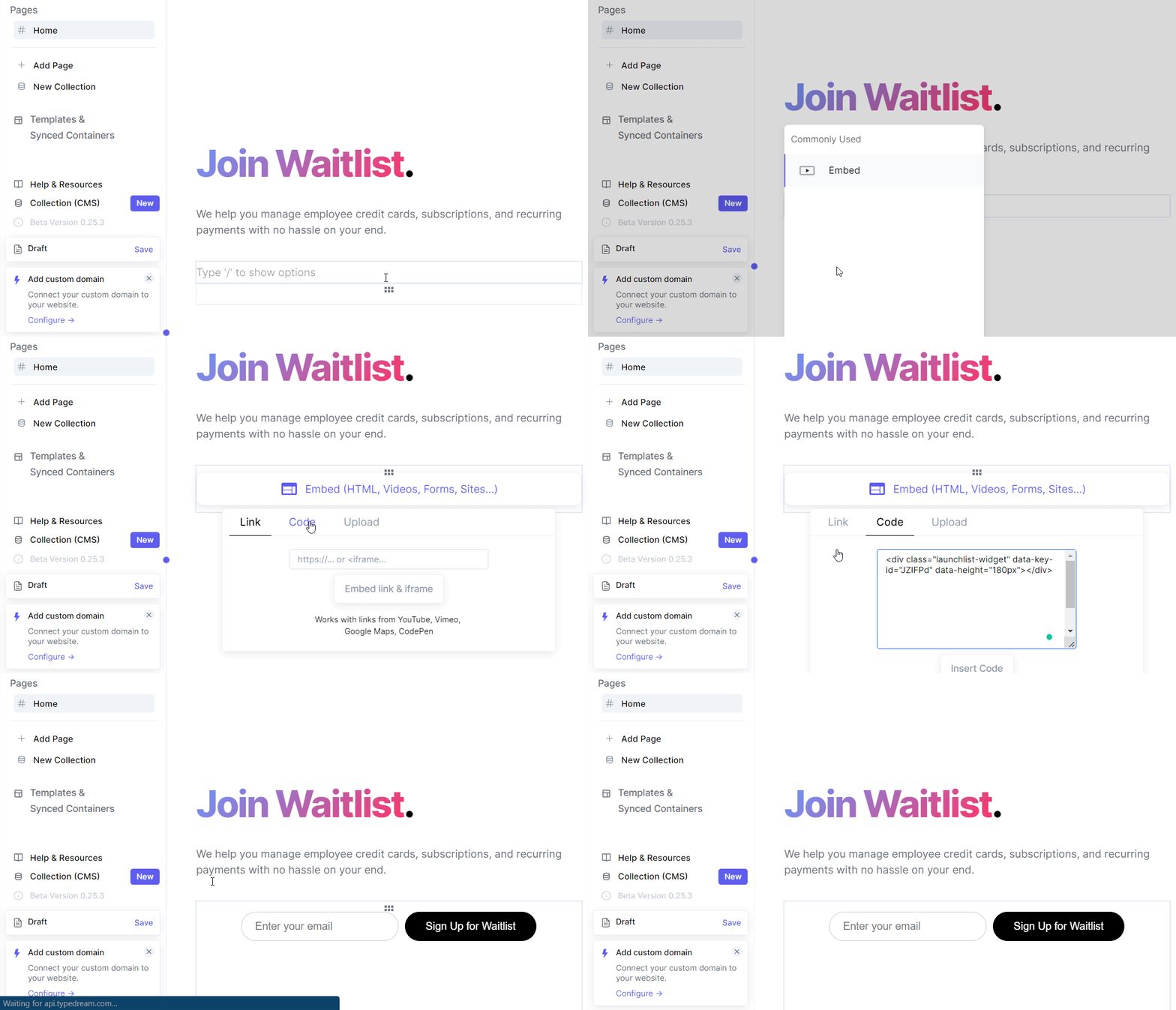
- Once updated, you'll see the waitlist widget on your Typedream site.