Cargo Waitlist Integration
Why use LaunchList with Cargo.site?
Cargo is a favourite among designers and creative portfolios, but it doesn't support external scripts natively — which rules out most waitlist tools. LaunchList works around this with a custom-form integration, giving you viral referral mechanics without breaking Cargo's design-first philosophy.
What you get:
- Viral referral program — every signup gets a unique referral link that moves them up the waitlist
- Fraud detection — disposable email blocking, MX validation, and behavioral scoring on every submission
- Custom form mode — wire up Cargo's native form fields to LaunchList's submission endpoint; no scripts required
- CSV export — download your full list any time
- Free plan — up to 100 submissions, no credit card required
Because Cargo doesn't support script injection, only the custom-form method works here. Follow the guide below to wire up your Cargo form.
Step 0 - Get the form key
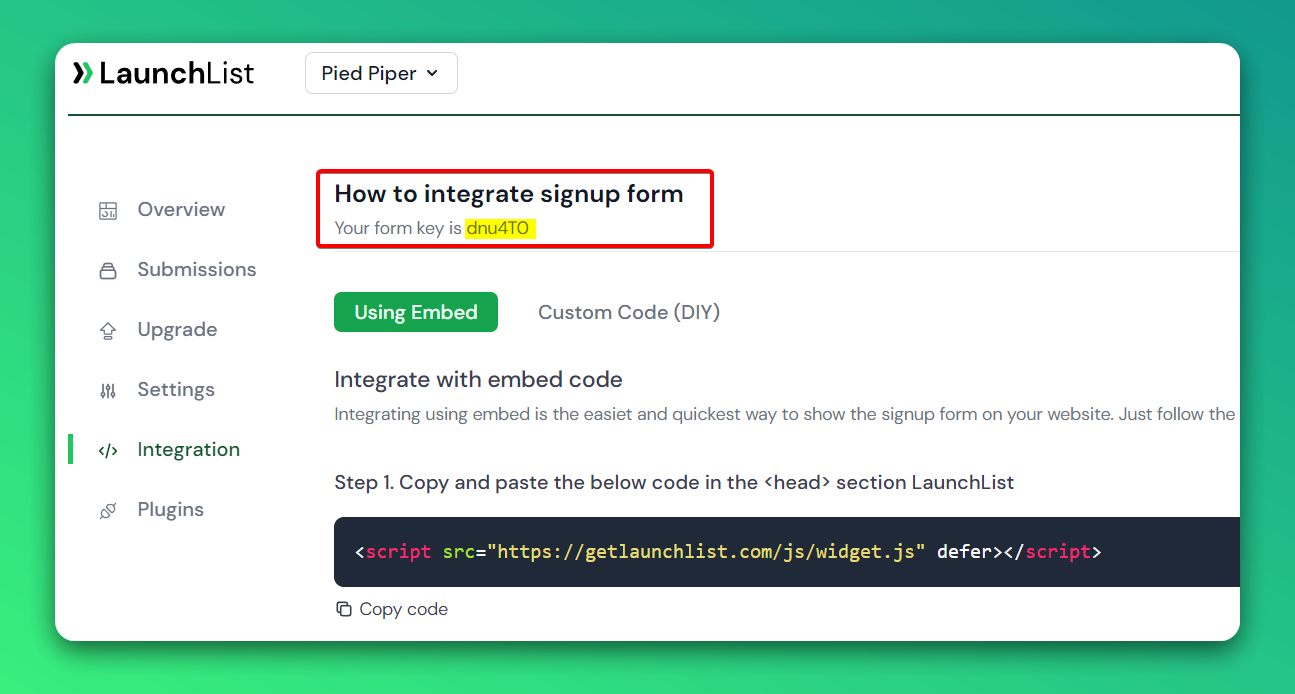
To integrate the custom widget on the Cargo website, first, you need a LaunchList form key which you can get from the integration page.
Custom Form
Add the custom form to your Cargo website
- Go to your Site Editor
- Click anywhere where you want to add the form.
- On the right sidebar - Go to CODE VIEW then copy and paste the below code.
- Make sure you have replaced the FORM_KEY with your key from Step 0
<form class="launchlist-form" action="https://getlaunchlist.com/s/FORM_KEY" method="POST">

    <input name="name" type="text" placeholder="Enter your name" />
    <input name="email" type="email" placeholder="Enter your email" />

    <button type="submit">Join Waitlist</button>

</form>
When you save a new form will appear. You can use your own CSS to customize the look of the form.
Add the referral tracker
- In the right sidebar
- Click on the Design tab
- Scroll down to Custom HTML
- And add the below script
<script src="https://getlaunchlist.com/js/widget-diy.js" defer=""></script>
GIF Instruction
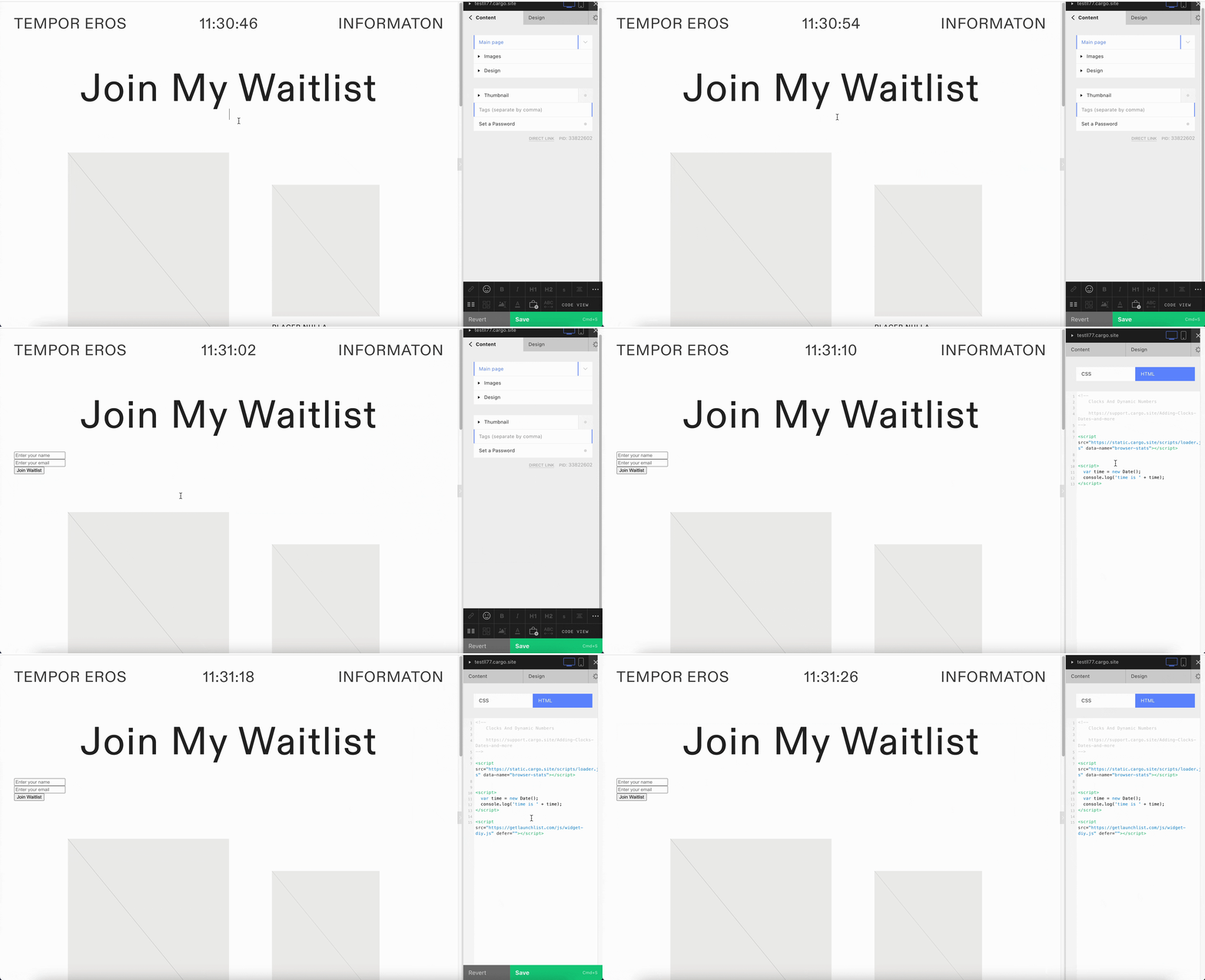
Once saved, you will see the waitlist widget on your Cargo site.