Wix Waitlist Integration
Why use LaunchList with Wix?
Wix has native forms but no referral system, no position leaderboard, and no spam defense beyond basic captcha. LaunchList layers all three on top of Wix's native form using its custom-code panel — you keep Wix's design system and add a full viral loop underneath.
What you get:
- Viral referral program — every signup gets a unique referral link that moves them up the waitlist
- Fraud detection — disposable email blocking, MX validation, and behavioral scoring on every submission
- Uses Wix's native form — no embed script; the form you've already styled keeps working
- CSV export — download your full list any time
- Free plan — up to 100 submissions, no credit card required
Wix does not support third-party embed widgets directly, so the setup uses Wix's form + custom-code integration. Takes about 5 minutes. Requires a Wix Premium plan for custom code.
Step 0 - Get form key
To integrate the widget on the Wix website, first, you need a LaunchList form key which you can get from the integration page.
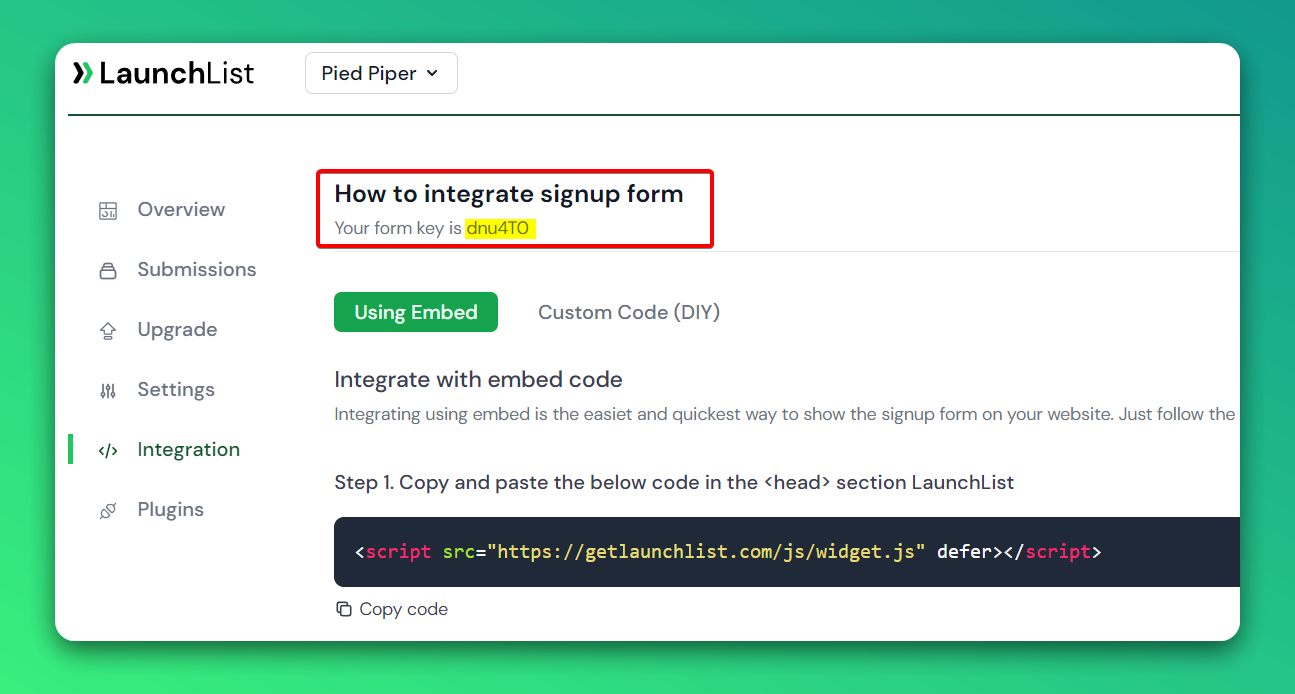
Custom Form
Step 1 - Create a form
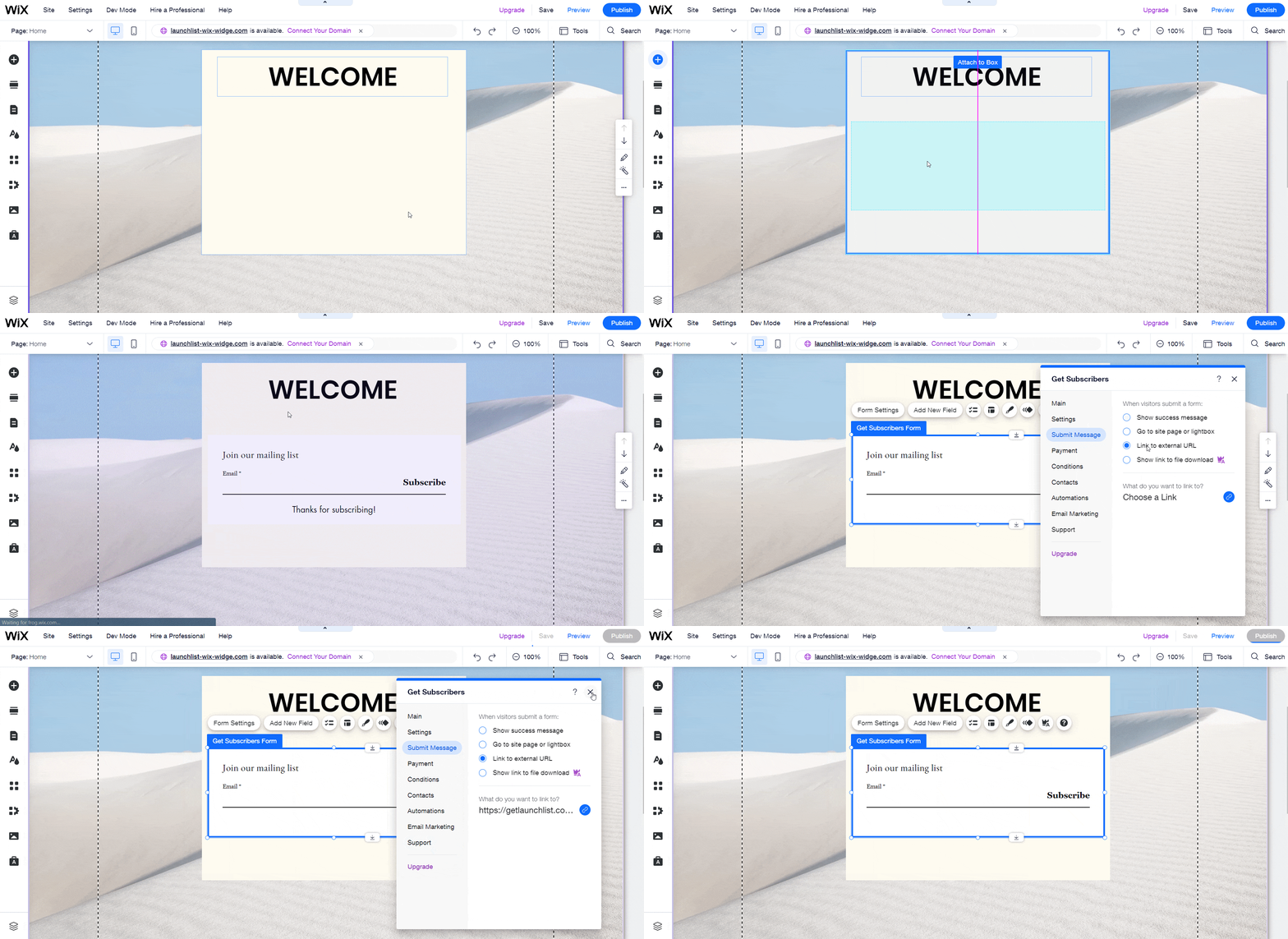
- Go to the site Editor
- Click on + Add button → Contact & Forms and select the form you want to use
- Drag and move where you want to display the waitlist form
- Click Form Settings → Submit Message and choose Link to external URL
- Click Choose a Link, and a popup will be opened
- Select Web address and paste the below URL with your FORM_KEY
https://getlaunchlist.com/s/FORM_KEY
- Close the Form Settings and Publish your website
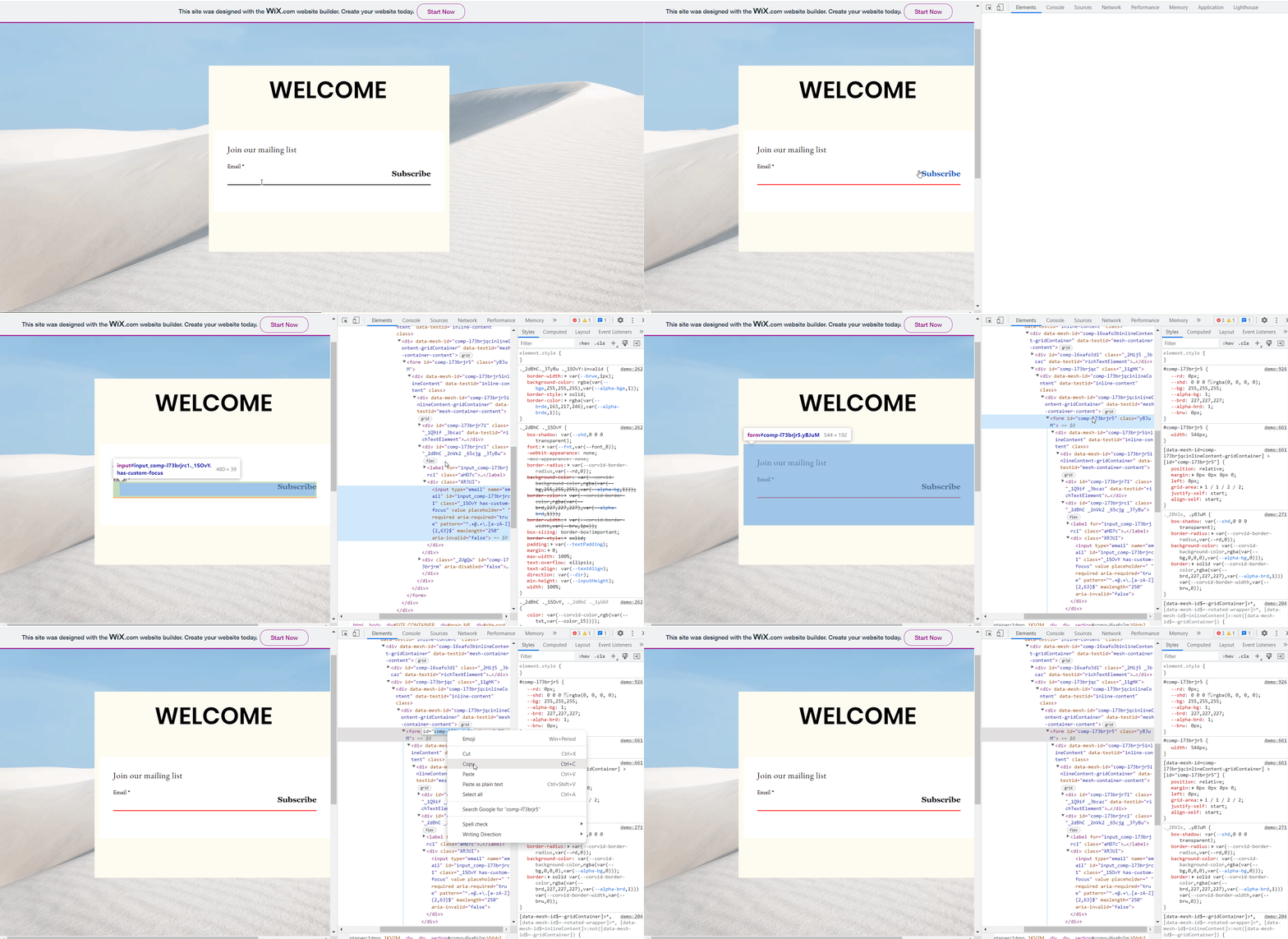
Step 2 - Get the form ID from HTML page Go to the published website page.
- Right-click on the form and choose Inspect Element
- Copy the id in
<form>tag
Step 3 - Add a JavaScript code
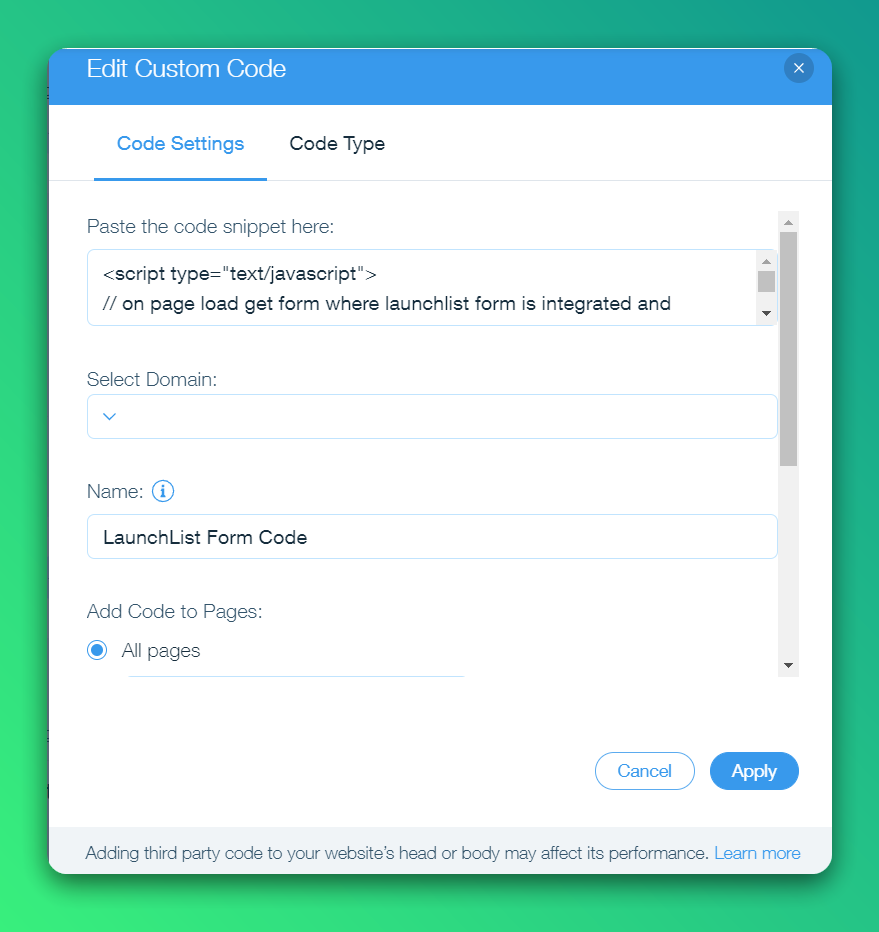
- Go to Settings in your site's dashboard
- Click the Custom Code tab in the Advanced section
- Click + Add Custom Code at the top right
- Paste the below script into the text box
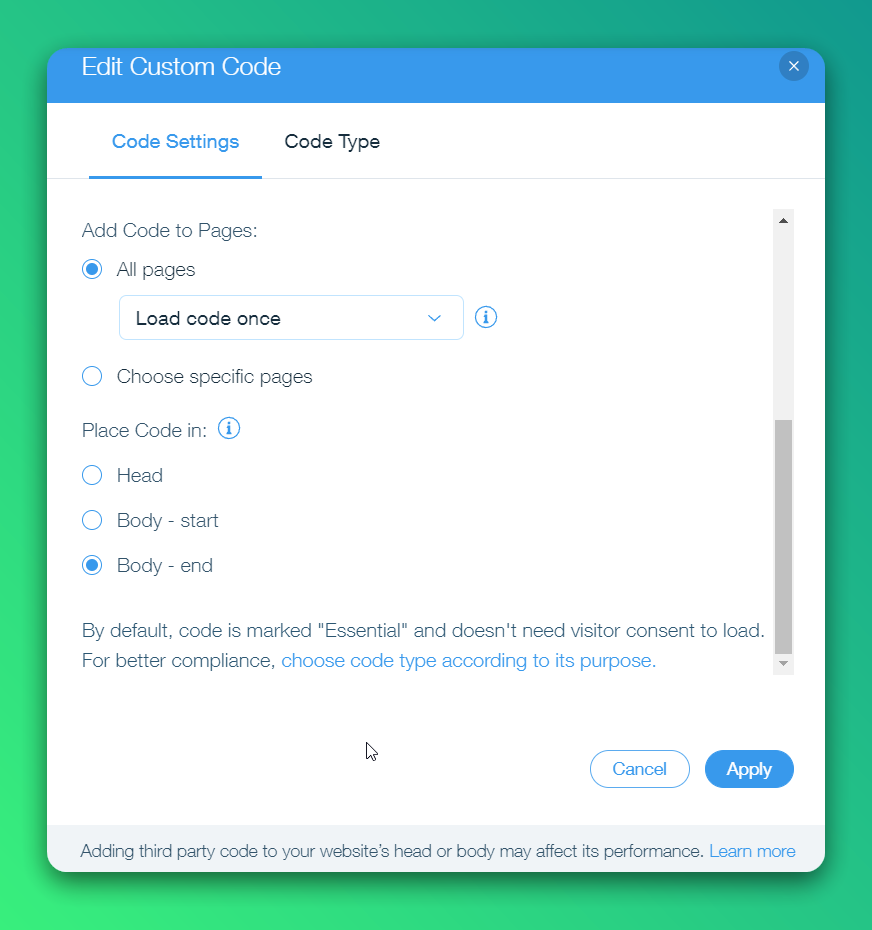
- Enter a name for your code and choose All pages on Add Code to Pages
- Select Body - end on Place Code in dropdown and click Apply to save
Please make sure you replace the FORM_ID and FORM_KEY from the below script.
<script type="text/javascript">
// on page load get a form where LaunchList form is integrated and process it
window.addEventListener('load', function() {

    var form = document.getElementById('FORM_ID'); // PASTE YOUR FORM ID FROM STEP 2 HERE
    buildForm(form);

    // If you are using multiple forms, uncomment the below code and replace form id
    // var form2 = document.getElementById('comp-l6yp3ben');
    // buildForm(form2);
    LaunchList();
});

// function to process form
function buildForm(form) {
    // add LaunchList class and form action
    form.classList.add("launchlist-form");
    form.setAttribute('action', 'https://getlaunchlist.com/s/FORM_KEY'); // REPLACE THE FORM_KEY FROM STEP 0 HERE
    form.setAttribute('method', 'POST');
    form.setAttribute('target', '_blank')

    // submit form
    form.addEventListener('submit', function(event) {
        event.preventDefault();
        form.submit();
        // reload page
        window.location.href = window.location.href;
    });
}

// Function to track referrals
function LaunchList() {

    // Get query string from URL
    var loc = window.location.toString();
    queryString = loc.split('?')[1];

    // Get all the forms with .launchlist-form class
    let forms = document.querySelectorAll(".launchlist-form");
    // let forms = document.querySelectorAll("._3Xz9Z");

    // Update the form with referral id
    forms.forEach(form => {

        // Get the action URL of the form
        let action = form.getAttribute("action");

        // Check if the query string is present
        if (
            queryString !== null &&
            queryString !== undefined &&
            queryString !== ""
        ) {

            queryParams = "?" + queryString;
            // update action url with query params
            form.setAttribute("action", action + queryParams);
        } else {
            // update action url without query params
            form.setAttribute("action", action);
        }
    });
}
</script>
Once published, you'll see the working widget on your Wix site.