Framer Waitlist Integration
Add a viral pre-launch waitlist to your Framer site in under 2 minutes using Framer's built-in Embed component. No Framer plan upgrade required.
Step 0 - Get form key
To integrate the embed widget on the Framer website, first, you need a LaunchList form key which you can get from the integration page.
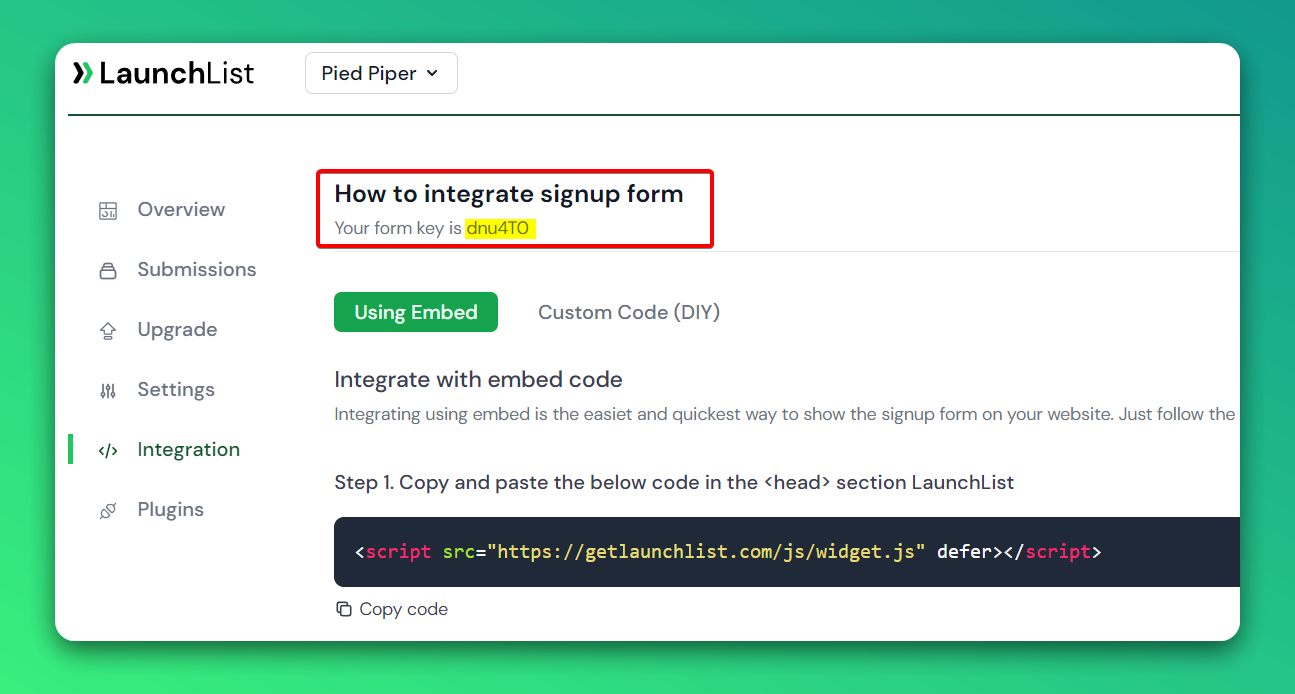
Embed Form
Add the embed form in your Framer website
- Go to your Site Editor
- On the left sidebar - Go to Utility then drag the Embed on your page
- Select the created Embed element
- On the right sidebar in the Embed component choose HTML and paste the below code
- Make sure you have replaced the FORM_KEY with your key from Step 0
<script src="https://getlaunchlist.com/js/widget.js" defer></script>
<div class="launchlist-widget" data-key-id="JZIFPd" data-height="180px"></div>
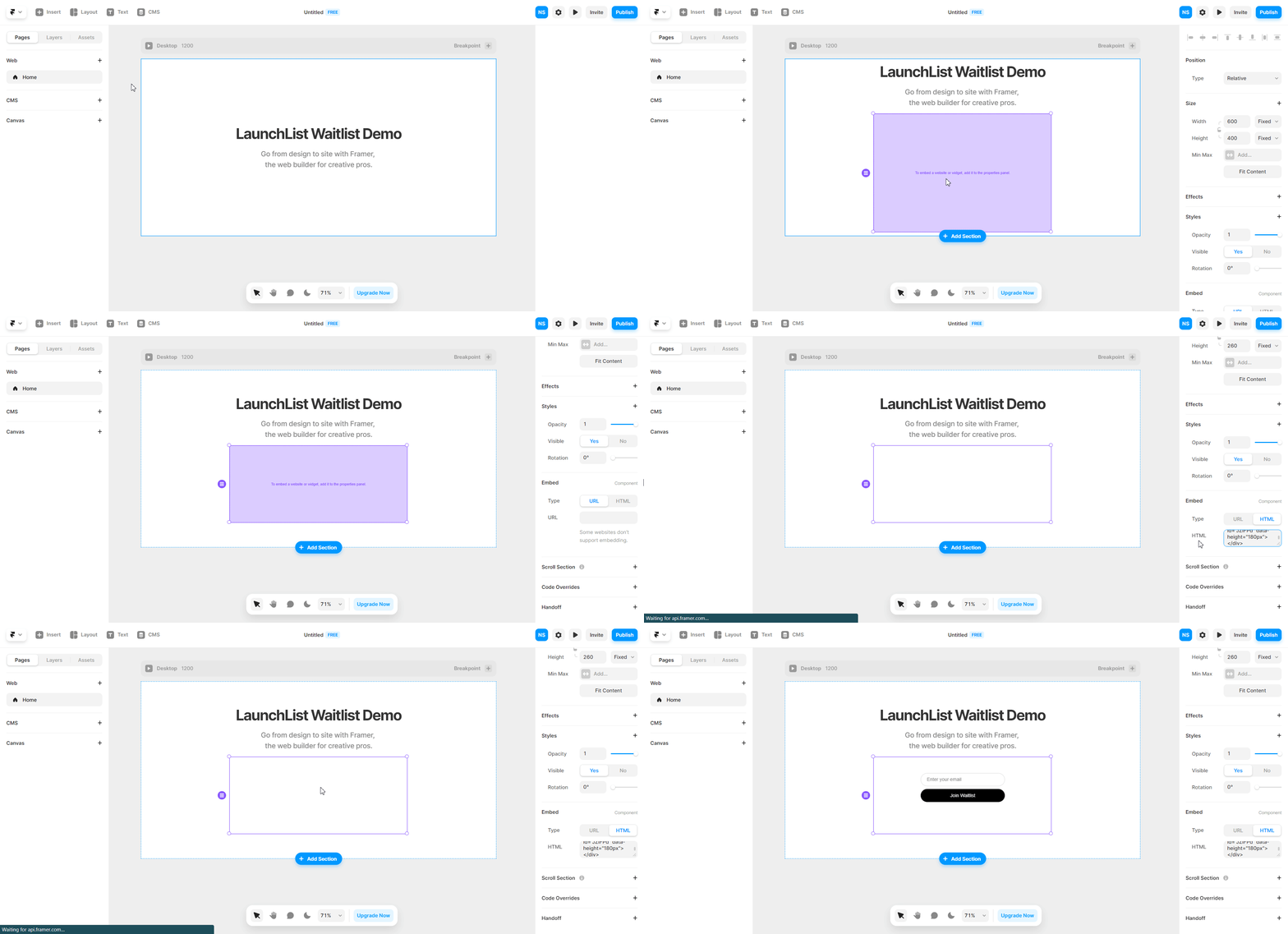
Once saved, you will see the waitlist widget on your Framer site.
Why use LaunchList with Framer?
Framer is the fastest way to ship a polished landing page — but it has no native waitlist or referral system. LaunchList slots in via Framer's built-in Embed component. Paste two lines of code and your Framer site captures pre-launch signups with viral referral loops and anti-spam protection.
What you get:
- Viral referral program — every signup gets a unique referral link that moves them up the waitlist
- Fraud detection — disposable email blocking, MX validation, and behavioral scoring on every submission
- Framer-native embed — works inside any Framer Embed component, no external scripts tab required
- Real-time leaderboard — drives organic sharing from within your launch page
- Free plan — up to 100 submissions, no credit card required