Bubble Waitlist Integration
Why use LaunchList with Bubble?
Bubble is the go-to no-code platform for building full web apps. Pre-launch waitlists are a common first step — but rolling your own referral logic inside Bubble's workflow editor is painful. LaunchList drops into any Bubble page via the HTML element and handles the entire viral loop for you.
What you get:
- Viral referral program — every signup gets a unique referral link that moves them up the waitlist
- Fraud detection — disposable email blocking, MX validation, and behavioral scoring on every submission
- Native HTML element embed — works inside Bubble's built-in HTML component, no plugin required
- CSV export — download your full list any time
- Free plan — up to 100 submissions, no credit card required
Setup takes under 5 minutes. Works on any Bubble plan that supports the HTML element.
Step 0 - Get form key
To integrate the embed widget on the Bubble website, first, you need a LaunchList form key which you can get from the integration page.
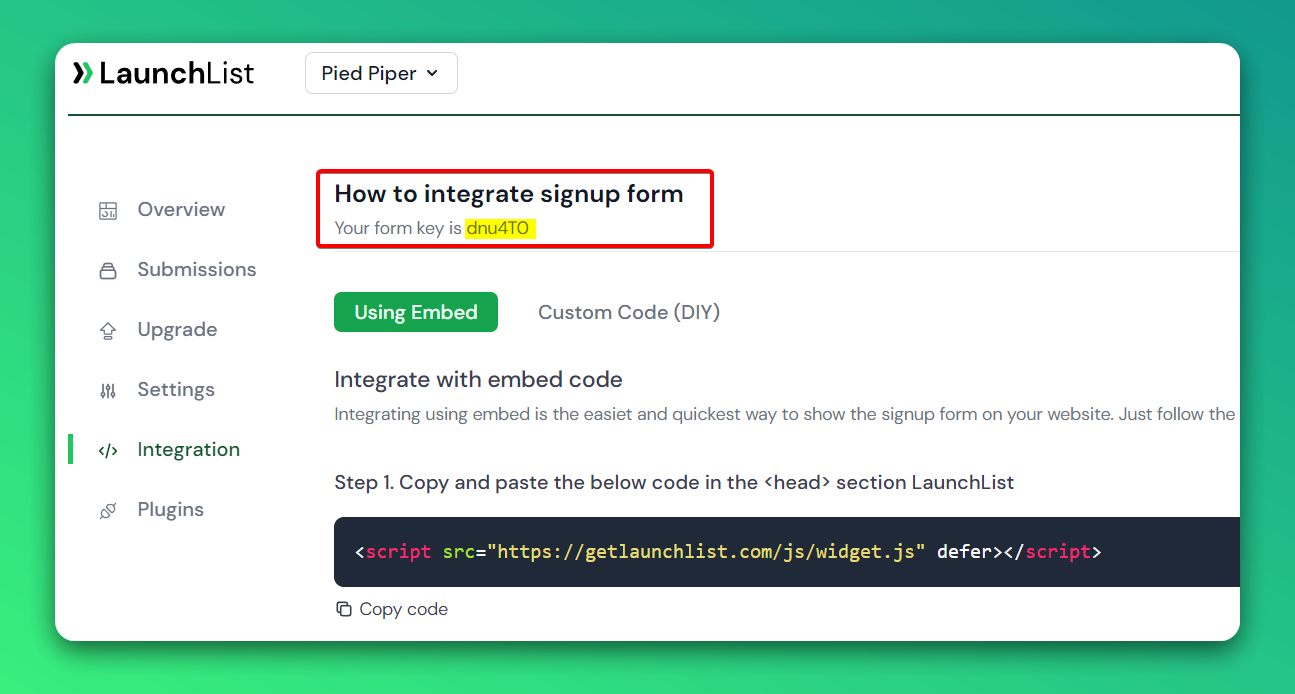
Embed Widget
Step 1 - Add a widget script into <head> section
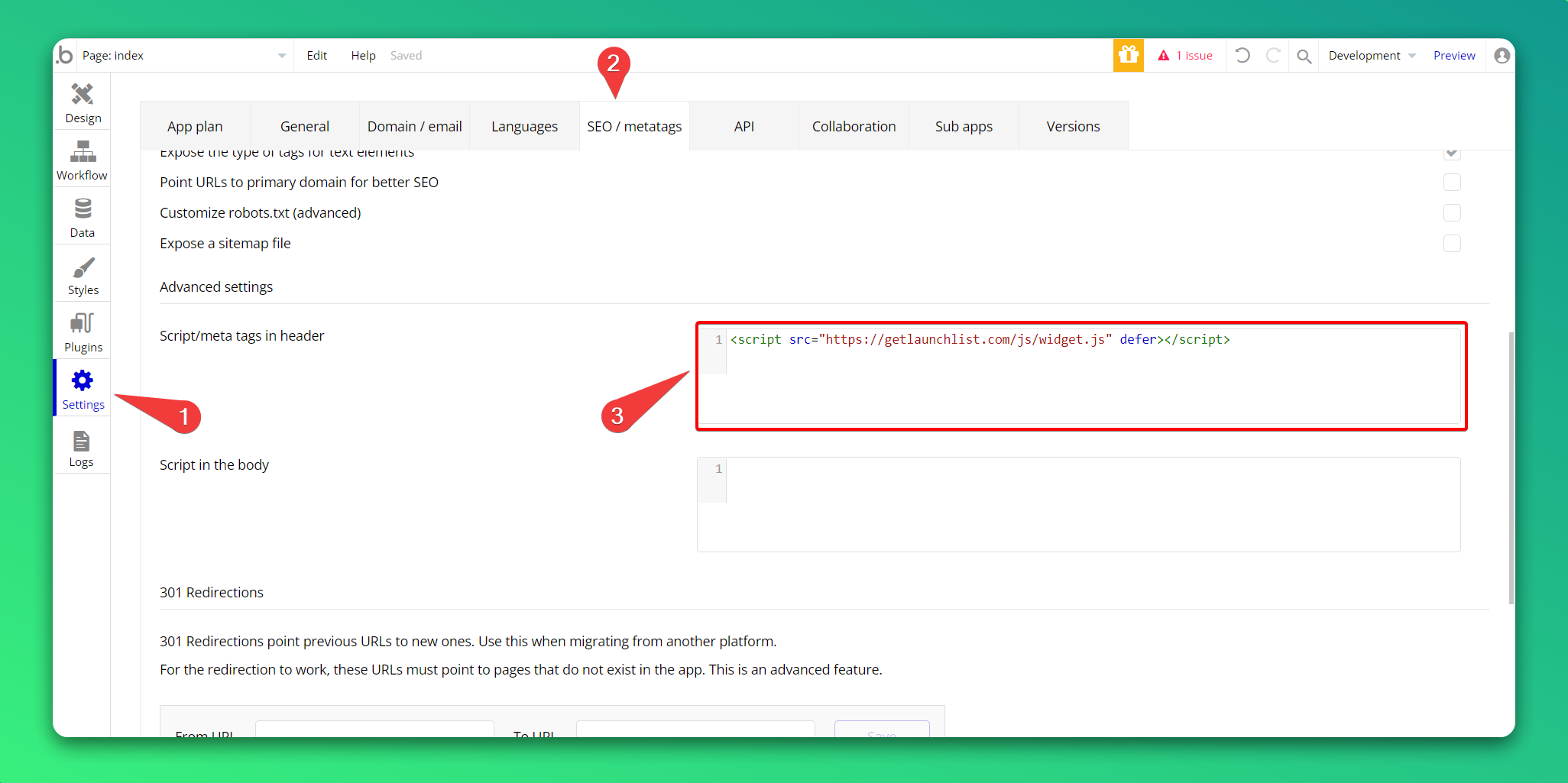
In your bubble editor,
- Go to Project settings
- Click tab Seo/ metatags on top submenu
- Paste the below script into the Script/meta tags in header section and wait for autosave to be completed
<script src="https://getlaunchlist.com/js/widget.js" defer></script>
Step 2 - Add the form code into bubble HTML element
- Drag HTML element into the canvas
- Paste the below code on HTML modal
- Make sure you have replaced the FORM_KEY with your key from Step 0
<div class="launchlist-widget" data-key-id="FORM_KEY" data-height="180px"></div>
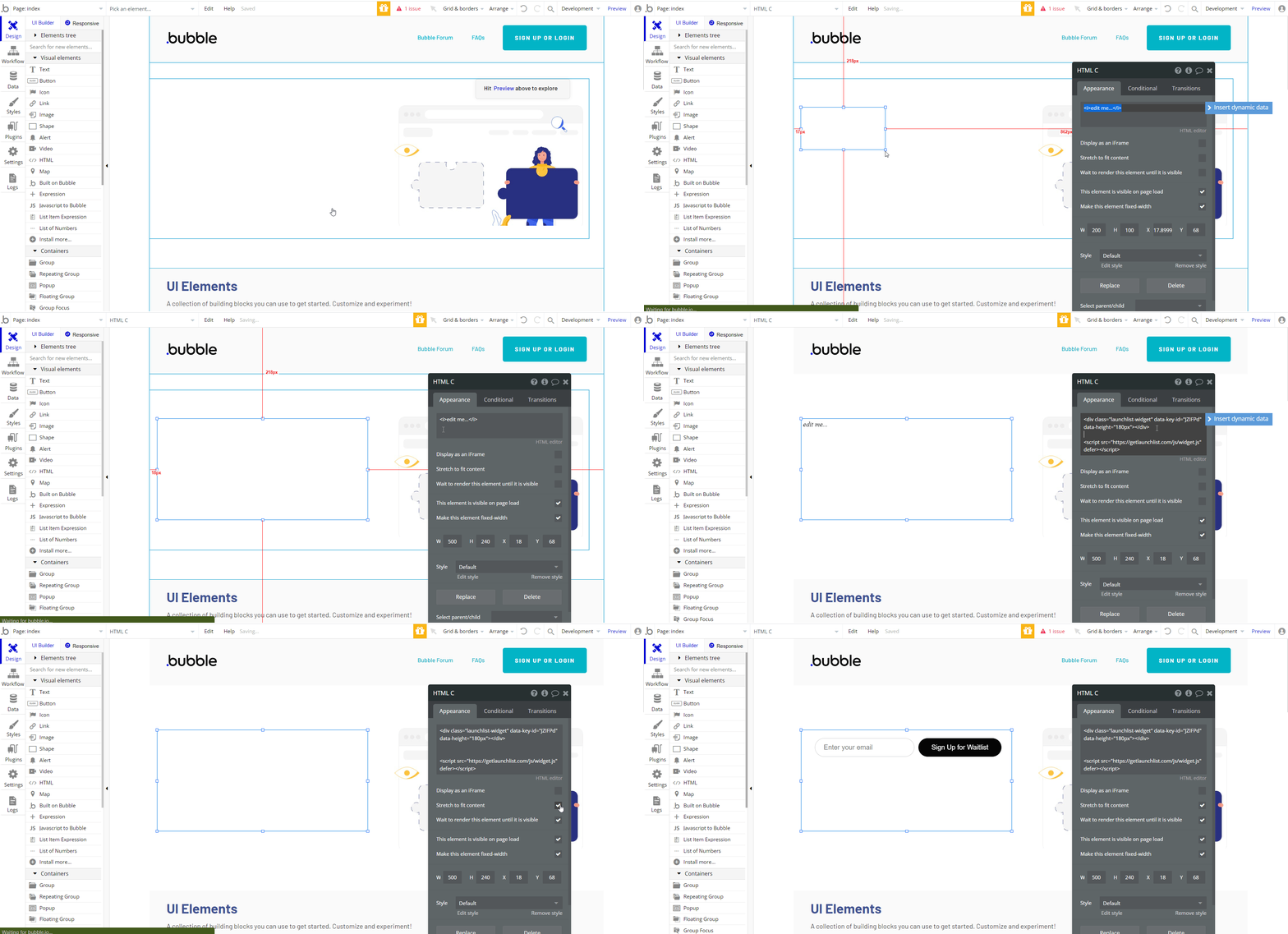
- Once updated, you'll see the widget on your Bubble site.